On this page
This page explains what Aangan does, how a family uses it in the weeks before a wedding, what your guests see, and what happens to your guest list afterwards.
What Aangan is
Aangan is the private dashboard behind your invitation. The invitation is what your guests open. Aangan is where you, your parents and anyone you trust decide who gets it, send it, and see who has replied.
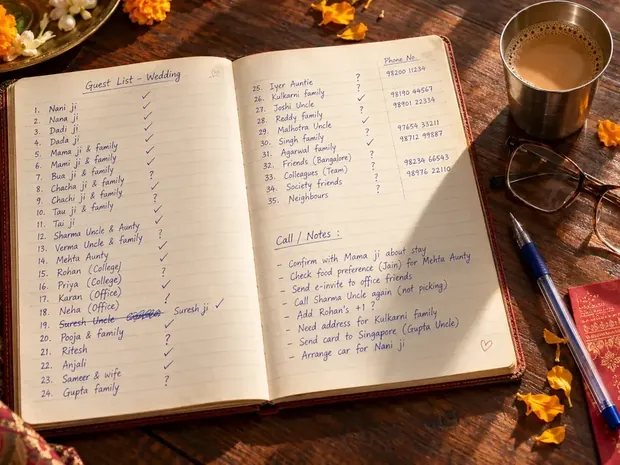
- One guest list. Upload the Excel sheet you already keep, or paste names from WhatsApp. It works like a spreadsheet, and you can export it whenever you like.
- A personal link for every guest. Each guest gets their own link, and the invitation greets them by name.
- Sent from your own WhatsApp. You send each link from your number in a few taps, so it arrives from family, not from a company.
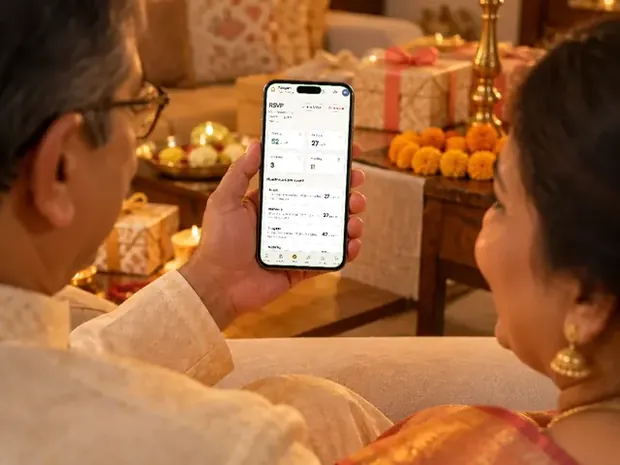
- Every reply in one place. Who has opened the invitation, who is coming and how many, for each function, the moment a guest replies.
- For the whole family. It works on a phone, so parents, siblings and whoever is managing one side of the family can all use it.
Who sees which function
Not every guest is invited to everything. With Aangan you choose, guest by guest, which functions each person sees. A colleague invited only to the reception sees the reception. Close family see every function, from the haldi to the vidaai.
Each guest sees the date, time, venue and map of their own functions, and nothing about the ones they are not invited to. That is the main reason families choose Aangan over one link for everybody, which shows the same functions to every guest.
How a family uses it, step by step
- Add the guest listUpload your Excel sheet or paste the names from WhatsApp, then mark which functions each guest is invited to.
- Send the invitationsWhen the invitation is ready, send every guest their personal link from your own WhatsApp, a few at a time.
- Watch the repliesSee who has opened the link and who has replied, with a running count for every function.
- Answer the catererWhen the caterer or the hotel asks how many, the number for each function is already there.
- Export everythingDownload the guest list and every reply as an Excel sheet before Aangan closes.
Please send the invitations only to people who know you, the way WhatsApp's own rules ask. Messages to strangers are what get numbers blocked.
What your guests see
Your guests do not install anything or sign in. They open their link on WhatsApp, see their own name, the invitation and the functions they are invited to, and reply in a couple of taps. Elders can do it as easily as anyone, because there is nothing to learn.
For a wedding, the invitation can also carry some light fun for guests: picking songs for the dance floor, a guess about who will cry first at the vidaai, and a place to leave blessings for the couple.
Your guest list stays private
| What we do | |
|---|---|
| Who can see it | You, the family members you share it with, and our team |
| How long Aangan stays open | Until 30 days after your last function |
| Keeping a copy | Export the guest list and every reply as an Excel sheet at any time while it is open |
| Before it closes | We remind you to export |
| After it closes | Everything in it, the guest list and every reply included, is deleted for good |
| Deleting it sooner | Ask us and we delete it earlier |
The full wording is in our Terms, section B3.
How to get Aangan
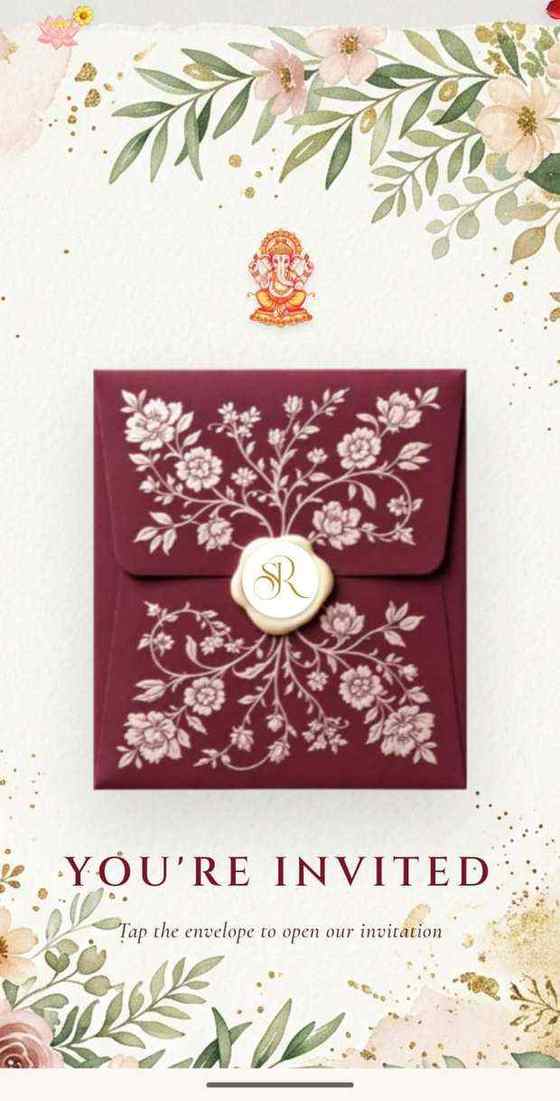
Aangan is an add-on to an Invifest invitation, and it suits every design: a wedding, an engagement, a griha pravesh or a birthday. Choose a design from all the templates and add Aangan at checkout, where the current price is shown, or ask us about it on WhatsApp first.
Invitation designs
6 designs you can personalise, from ₹2,499. Open any one to see it full size, with a live demo.





Questions people ask
Is Aangan an app I have to install?
No. Aangan opens in the browser on your phone or computer, and your guests do not install anything either. They open their own link on WhatsApp.
Can my parents use Aangan too?
Yes. It works on a phone and the whole family can use it, so parents and siblings can each look after their side of the list.
Can different guests see different functions?
Yes. You choose which functions each guest is invited to, and each guest sees only those, with the date, time, venue and map of each.
Who sends the invitation messages?
The messages go from your own WhatsApp to the people you choose, so they arrive from family. Please send them only to people who know you.
How do I know how many people are coming?
Every reply reaches Aangan the moment a guest sends it, with the count for each function, so you can give the caterer a number at any time.
What happens to my guest list after the wedding?
Aangan stays open until 30 days after your last function. Export the list and the replies as an Excel sheet before then. When it closes, everything is deleted for good, and we delete it sooner if you ask.
Can I use Aangan for a birthday or a griha pravesh?
Yes. Aangan works with every Invifest design, not only weddings.