On this page
- What the website has to do before it looks good
- Step 1: Collect the details (copy this checklist)
- Step 2: Choose the route
- Step 3: Write the words
- Step 4: Set up the RSVP so the numbers mean something
- Step 5: Decide who sees which functions
- Step 6: Test it the way your guests will open it
- Step 7: Share it, then keep it current
- What it costs
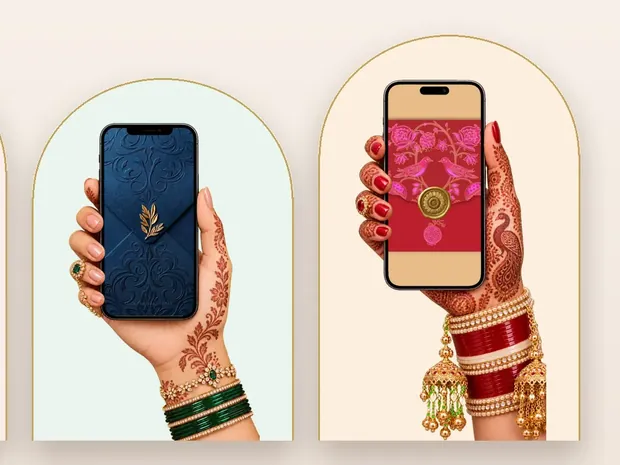
- Designs
- Questions
We make invitation websites for Indian families, so these steps come from what goes wrong in real orders: the wrong weekday, the missing family name, the elders who gave up scrolling.
What the website has to do before it looks good
Design comes last. First, the site has six jobs:
- Every function on its own, with its date, time and venue, because the haldi, the sangeet and the wedding are rarely in one place.
- A map pin for each venue. This alone ends most of the "venue kahan hai" calls on the day.
- Replies that add up, with a headcount for each function, so the caterer gets numbers rather than guesses.
- Opens on a cheap phone from WhatsApp, in seconds, with nothing to install.
- Changes without a new link, so a moved time reaches everyone who already has it.
- Reads for the oldest guest: large enough, plain enough, and short enough to reach the end.
Step 1: Collect the details (copy this checklist)
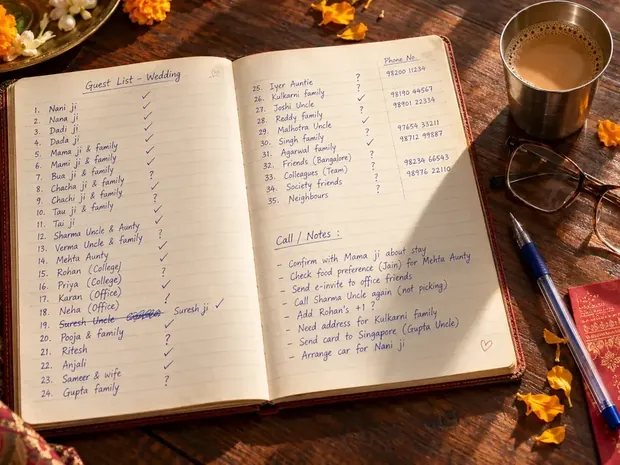
Gather everything in one message before anyone builds anything. A site stalls when details arrive in pieces over four days.
- Names exactly as they should appear, with honorifics, and which name comes first.
- Both sets of parents, and grandparents if you want them named. Mark anyone who has passed, so the right word goes before the name.
- Each function: date, start time, venue name and a Google Maps pin of the gate guests should use.
- Dress code or colours for each function, if you have them.
- Five or six photos, sent on WhatsApp as documents rather than photos, so they stay sharp.
- A logo or monogram, if you have one.
- The song, and the second it should start from.
- One or two contact numbers for guests with questions.
- Your RSVP questions (Step 4).
Step 2: Choose the route
There are four ways to get the site made. Doing it yourself is the right call for a couple with time and a simple one-day event; it gets harder with every extra function and every elder on the list.
| Route | What you do | Good when | Watch for |
|---|---|---|---|
| A general website builder (Canva's, for example) | Design every screen; add each function, a reply form and map links yourself | One simple event, and you enjoy design | Replies per function, Hindi type, and how long the site stays up |
| An Indian invitation site you fill in (Shubh Invitation, Invity, PixerInvite, Wedence) | Fill in a form; functions and RSVP are built in | You want it tonight and can type it all in | Link life (Invity's plans last 7 to 180 days), watermarks on free plans |
| An American invitation service (Paperless Post, for example) | Cards by email, text or link, with RSVP tracking | Most guests live abroad | Priced per guest in US dollars; Hindi not mentioned |
| An invitation studio (Invifest, Wedsmint) | Send your details on WhatsApp; a designer builds it | Several functions, elders on the list, no evenings to spare | Not instant; from ₹1,999 at Wedsmint, ₹2,499 at Invifest |
Our comparison of 15 options has each one's replies, link life and price, checked on the same day.
Step 3: Write the words
Start with who is inviting, because in most Indian families it is the parents, not the couple. Then the invocation your faith uses (Shree Ganeshaya Namah, Ik Onkar, Bismillah or a verse), then the couple's names, then each function in the order it happens. Keep each function to its time, venue and one line of feeling; the details belong in the map and the dress code. Our wedding invitation wording guide covers who to name and in what order, and the Hindi wording guide has full matter in Devanagari.
Step 4: Set up the RSVP so the numbers mean something
Ask only what you will use: coming or not, how many people, which functions, food preference if you serve both, and whether they need a stay. Numbers for the sangeet and the wedding are usually very different, so a single "yes" is not enough. Set the reply date three weeks before the wedding, not two: the caterer wants numbers seven to ten days out, and you will need the week in between to chase. RSVP for an Indian wedding goes further.
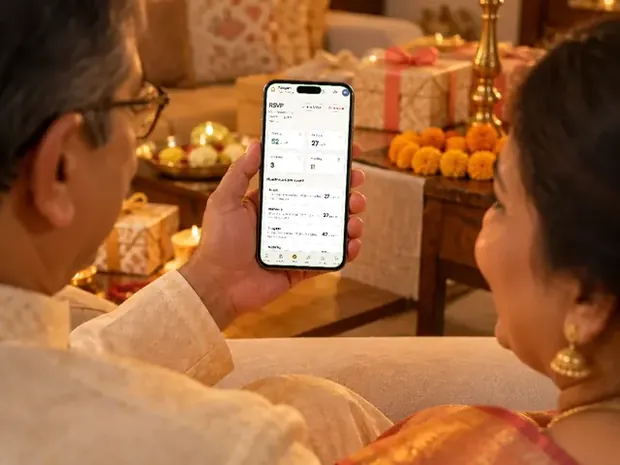
Decide where replies go before you send anything. On an Invifest invite they go to a private RSVP console that is free with it: you log in, see every reply and export them to Excel, instead of reading one email per guest. Some families want no form at all for one group: one father did not want his friends filling one in. Say so before anything is built.
Step 5: Decide who sees which functions
Whoever has the main link sees every function on it, so decide this before sharing, not after. Inviting some guests to only some functions covers how to do it without anyone feeling left out.
- One link for everyone. Simplest, when every guest is invited to everything.
- A link per group. The reception-only guests get a link with just the reception: on Invifest, a separate link for one event is ₹999 at checkout, and the other family can have their own link with their names first.
- A personal link per guest. With Aangan (₹3,000) you add your guest list once, send each guest their own link from your own WhatsApp, and each guest sees only their own functions. You also see who opened it and who is coming.
Step 6: Test it the way your guests will open it
Most problems show up only on a real phone, inside WhatsApp. Before it goes to anyone outside the family:
- Open it from a WhatsApp chatOn an old Android phone and on an iPhone, not from your laptop's browser.
- Check the songOn an iPhone, sound can only start after a tap, so the opening tap (the seal or the envelope) should start it. A song that plays by itself on Android may stay silent on an iPhone.
- Check the previewThe chat should show your cover picture and names. If it shows nothing, or an old picture, fix it before sending widely.
- Try slow dataSwitch off Wi-Fi in a corner with weak signal and time the first screen.
- Give it to the oldest relativeAsk them to open it without help. In one family the elders said there was too much scrolling, so the invite was rebuilt to end at the family section, with travel details last. Another bride dropped a scratch-to-open step because older relatives found it hard.
- Count the swipesA bride tried her invite on ten friends, who got bored after three slides. Put the date, the venue and the reply form early.
- Tap every map pin and read every weekdayEach pin should open the right gate, and each weekday should match its date.
If guests are flying in from abroad, read it as they will: a family in the US asked us to show the weather in both Celsius and Fahrenheit, and to keep the English view free of Gujarati day names.
What it costs
Doing it yourself can be close to free, at the cost of your evenings. Invifest designs start at ₹2,499, paid once, with optional add-ons such as Aangan for personal links (₹3,000), a 4K video of the invite (₹1,100) and a PDF to print (₹1,000). There is no yearly fee on an Invifest link. Every price, ours and others', is in our cost guide, and you can open a live demo on your phone before you decide.
Invitation designs
6 designs you can personalise, from ₹2,499. Open any one to see it full size, with a live demo.






Questions people ask
Can I make a wedding invitation website for free?
Yes, with a free website builder or the free plan of an invitation site, if you design it and set up the maps and replies yourself. Expect a watermark or a time limit: Invity's free plan stays live for 7 days. Invifest is paid, from ₹2,499 once, with a free shareable link and no domain to buy.
How long does it take to make one?
Doing it yourself takes an evening to a weekend, depending on how many functions you have. Invifest sends the first version within 3 days of your complete details, or in under 24 hours on request.
Do I need to buy a domain name?
No. A free shareable link is included. A custom domain can be arranged on request and may cost extra, which we tell you before we start.
Can guests reply on the website?
Yes. On Invifest, replies go to a private RSVP console that is free with the invite, and you can export them to Excel. For a personal link per guest, Aangan is ₹3,000.
Can I change the details after I have sent the link?
Yes. The same link updates for everyone who has it. Invifest includes two rounds of changes within 7 days of the first version, and fixes its own mistakes free whenever they are found.
Will it open for guests who only use WhatsApp?
Yes. It opens in the phone's browser straight from the WhatsApp chat, with nothing to install.
Can it be in Hindi and English?
Yes. Sindoori's Rooted theme sets Hindi beside English, and an invite can carry a language switch: one family abroad had an English view and a Gujarati one.