On this page
- Before you send: three checks
- Three ways to send, compared
- How to send 300 invitations without getting your number blocked
- Sending from your parents' numbers
- WhatsApp groups: when to use one, and when not
- The elders: call first, then send the link
- After sending: reminders and changes
- When a guest says it is not showing or not opening
- Wording you can copy
- Designs
- Questions
This guide is that plan, from what we see every week while making invitation links for families and helping them send them: the checks before the first message, three ways to send, how to pace it, who sends from whose phone, and what to do when a guest says the link will not open.
Before you send: three checks
Ten minutes of checking now saves a hundred calls later.
- Send the link to yourself firstMessage the invitation link to yourself or to one family member, and wait a few seconds after pasting it so WhatsApp can build the preview. You should see your cover picture and your names under the link. If the box stays empty on an Android phone, open WhatsApp's Settings, then Privacy, then Advanced, and make sure Disable link previews is off: while it is on, links go out without the picture. We have also seen a WhatsApp Business phone refuse to build a preview that ordinary WhatsApp built at the first try, so test the other app before deciding the link is broken.
- Open it on an iPhone and on an old AndroidAsk two people with different phones to open it, one on the oldest phone in the family. If it opens quickly there and the song starts after the first tap, it will work for everyone.
- Check that you are sending the right linkMany families end up with two or three links: a save the date, the main invitation, a link for the reception guests. Open each one from your own chat before forwarding it. A bride and her mother once called us because the link going round their family opened the old save the date instead of the invitation. The two addresses differed by one word.
Three ways to send, compared
There are three practical ways to get an invitation to 300 people on WhatsApp. Most families end up using two of them: personal messages for the elders and close family, and broadcast lists or personal links for everyone else.
| One by one from your chat | Broadcast list | Personal links from a guest dashboard | |
|---|---|---|---|
| Effort for 300 guests | High: an evening or two of pasting and typing names | Low: a list holds up to 256 contacts, so two lists cover it | Low: each guest's chat opens with their message and link ready, and you press send |
| Guest's name in the message | Yes, if you type it | No, everyone gets the same text | Yes, and the invitation greets them by name |
| Guest must have saved your number | No | Yes, or it never reaches them | No |
| Risk to your number | Low, if you leave gaps | Low for people who know you, but frequent broadcasts get reported | Low, if you leave gaps |
| Shows who opened the invitation | No | No | Yes, with who is coming and how many |
| Best for | Elders, close family and short lists | Friends and relatives who have your number saved | Long lists, and guests invited to different functions |
Broadcast lists, from WhatsApp's own Help Center page on them: up to 256 contacts in each list, as many lists as you like, and each person gets an ordinary chat from you, with replies coming only to you. Only people who have saved your number receive it. Broadcast lists do not work on WhatsApp for Windows, Mac or Web, and in some countries WhatsApp is rolling out a monthly broadcast limit, shown under Settings, then Broadcasts.
Personal links come from a guest dashboard. Ours is Aangan: add the guest list once, send each guest their own link from your own WhatsApp in a few taps, and see who has opened it, who is coming and how many. It costs ₹3,000 with an invitation and stays open until 30 days after your last function. Each personal link shows that guest only the functions they are invited to, which one shared link cannot do (more on that in inviting guests to some functions). You can watch a live demo of how an invitation opens.
How to send 300 invitations without getting your number blocked
WhatsApp is built for people messaging people they know, and its rules say so. Its Help Center page on using WhatsApp responsibly asks you to message known contacts, and says WhatsApp uses machine learning and reports from users to ban accounts that bulk message, auto-message or use modified versions of the app. In 2021, WhatsApp's first India compliance report said more than 95 per cent of the Indian accounts it had banned were banned for unauthorised automated or bulk messaging (Deccan Herald, 15 July 2021).
A wedding invitation to your own relatives is not spam, but three hundred identical messages sent in twenty minutes can look like it. Send it the way a person would:
- Send in batchesOne circle at a time: the bua and mama side on one evening, the father's colleagues on another, your college friends on a third. Small batches also leave you time to answer the replies as they come in.
- Leave gaps between messagesThere is no need to rush. When one family sent 150 invitations from a Mac through WhatsApp Web, each message took about a minute anyway, because WhatsApp waits to build the link's preview. That pace is fine.
- Make the first line personalStart with the guest's name and a line in your own words. A personal message reads as an invitation. A pasted block reads as a forward, and forwards from unknown numbers are what people report.
- Never use a bulk-sender appApps and websites that log into your WhatsApp to send hundreds of messages for you are exactly what WhatsApp's rules forbid, and WhatsApp says a 'Temporarily banned' message can mean you are using an unofficial version of the app.
Sending from your parents' numbers
In most Indian families the parents are the hosts, and their circle should get the invitation from Papa's or Mummy's number: their friends and colleagues, the neighbours of thirty years, the relatives who still call Papa first. People open a message from a number they know faster than one they have never saved.
It is one of the requests we hear most. With Aangan, the same dashboard can be open on several family phones at once, each person sending from their own WhatsApp. In one family this season the father, the mother and the grandfather were all sending to their own people at the same time.
Without a dashboard, add a column to the guest list that says who sends to whom, and split the list before anyone starts. For messages in the parents' own voice, see our wording for a son's wedding and a daughter's wedding.
WhatsApp groups: when to use one, and when not
A group works where people already talk to each other: the family group, the bride's school friends, the groom's office team. Post the invitation there as an announcement, and still message the elders in that group personally.
Do not create a new group of 200 guests just to send the invitation. WhatsApp's own help page says group members' phone numbers cannot be hidden, so every guest sees every other guest's number, and each 'congratulations' pings 200 phones for a week. WhatsApp also asks you to get people's permission before adding them to a group.
The elders: call first, then send the link
For grandparents, the bua and the mama, and anyone who would have expected a visit, the call is the invitation and the link is the card. Phone them, invite them in your own words, and then tell them: 'I am sending the card on WhatsApp, every function and the address are in it.' For someone you cannot reach, a voice note in their own language does the same job.
The call matters for one more reason. Elders have heard about fake wedding cards. In April 2026 Rajasthan Police warned that fraudsters send files named 'marriage.apk' and links dressed up as wedding invitations, and advised people not to click suspicious or shortened links (ThePrint, 25 April 2026). A call before the link tells them this one is real. A genuine invitation link opens in the browser and never asks anyone to install an app or type a bank detail (how to tell).
Many families also give these guests something on paper. Most couples we make invitations for print thirty to fifty cards instead of three hundred and send the link to everyone else, and some print the PDF of their invitation for the elders. Our guides to invitations elders can open and to invitation etiquette cover the rest.
After sending: reminders and changes
Send two more messages, not ten: a reminder a week before with the link, the timings and the parking, and a short one a day or two before with only the next day's timings. Our invitation timeline has the sequence, our reminder messages the wording, and our RSVP guide the reply deadline.
If a time or a venue changes, change the invitation, not three hundred messages. An Invifest invitation updates at the same link, so everyone who already has it sees the new time the next time they open it. Two rounds of changes are included, even after you have shared the link, if you send them within 7 days of your first version, and a mistake of ours is fixed free whenever you find it.
When a guest says it is not showing or not opening
- There is no picture under the link. On the sending phone, make sure Disable link previews is off (Settings, Privacy, Advanced), wait a few seconds after pasting before you press send, and try ordinary WhatsApp if WhatsApp Business will not build it.
- The old picture still shows. Chats that got the link before you changed the cover can keep the old thumbnail, while the invitation opens with the new one. Tell us before your next round of sending and we will check the preview with you.
- 'The link is not opening.' Ask the guest to open it in Chrome or Safari, and to try mobile data if they are on office Wi-Fi. Office networks and office laptops often block sites they do not know. One groom could not open his own invitation on his office laptop because the company's security software blocked it, while the same link worked on his phone.
- 'I never got it.' If you used a broadcast list, they have probably not saved your number, and WhatsApp only delivers broadcasts to people who have. Send it to them in a normal chat.
Messages you can copy
Copy one, put the guest's name in the first line, and paste your invitation link where it says [link]. More messages, for every relation, are in our WhatsApp messages guide.
Namaste [Name] ji,
[Bride's name] and [Groom's name] would be honoured by your presence at their wedding.
Inside you will find every function with its date and time, the venue with a map, and a place to send your reply:
[link]
With love,
[Your name]
[Name] ji, namaste.
With the blessings of our elders, our [son / daughter] [Name] is getting married to [Name] on [date].
We would be very happy to have you and your family with us. Every function and the address are here:
[link]
[Parent's name]
[Name] ji, pranam.
[Bride's name] aur [Groom's name] ki shaadi mein aap sapariwar zaroor padharein.
Saare function, samay aur venue ka map is link par hai:
[link]
Aapke aashirwad ka intezaar rahega.
As promised on the phone, here is the invitation, [Name] ji.
Every function, the timings and the address are inside:
[link]
We will see you on [date].
Want these words on a real invitation? See the designs.
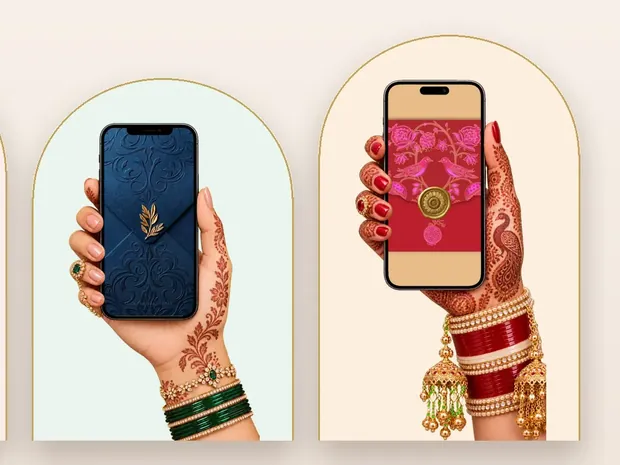
Invitation designs
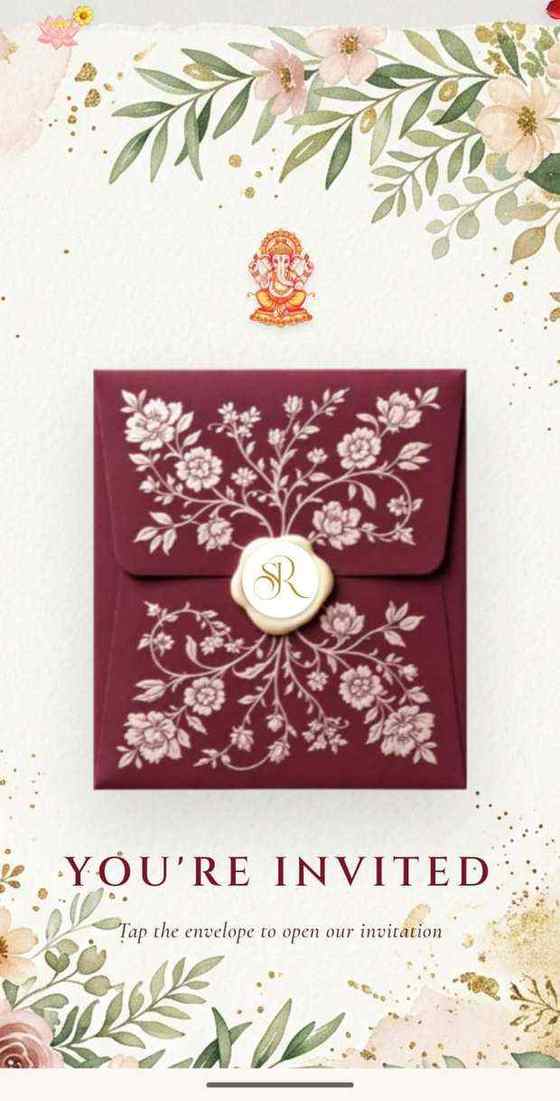
6 designs you can personalise, from ₹2,499. Open any one to see it full size, with a live demo.


Questions people ask
How many people can I send a WhatsApp broadcast to?
Up to 256 contacts in each broadcast list, and you can make as many lists as you like, so two lists cover 300 guests. Only contacts who have saved your number receive it. In some countries WhatsApp is rolling out a monthly limit on broadcasts; if you have one, it shows under Settings, then Broadcasts.
Can WhatsApp block my number for sending wedding invitations?
It can ban numbers that bulk message, auto-message, use unofficial versions of the app or are reported by many people. Send to people who know you, make the first line personal, leave gaps, and never let a bulk-sender app log into your WhatsApp.
Why is my invitation link not showing a preview?
Usually Disable link previews is on in the sending phone's WhatsApp (on Android under Settings, Privacy, Advanced), the message went before the preview had loaded, or it went from WhatsApp Business, which in our experience sometimes fails where ordinary WhatsApp works. Send the link to yourself first.
Can I send each guest an invitation with their own name?
Yes. Type the name yourself in each message, or use a guest dashboard. Invifest's Aangan (₹3,000 with an invitation) gives every guest a personal link that greets them by name and shows only their functions, sent from your own WhatsApp.
Should I add all the guests to one WhatsApp group?
No. Use groups only where people already talk, like the family group. WhatsApp cannot hide members' numbers in a group, so a new 200-person group shares everyone's number with everyone, and the replies never stop.
Can I see who has opened my invitation?
Not with a plain link or a broadcast list. Blue ticks, where a guest has them on, only say the message was read, not that the invitation was opened. A guest dashboard like Aangan shows who opened it, who is coming and how many.
Can I send the invitation from WhatsApp Web on my laptop?
Yes, one chat at a time. Broadcast lists are phone only: WhatsApp's Help Center says they are not supported on Windows, Mac or Web. Each message takes a little while, because WhatsApp builds the link's preview before it sends.