Wedding invitation with a map: how to add the location link for every venue, even two
How to put a Google Maps location link on a wedding invitation: one map per venue, two venues on one invite, the right pin, a QR code on the card.
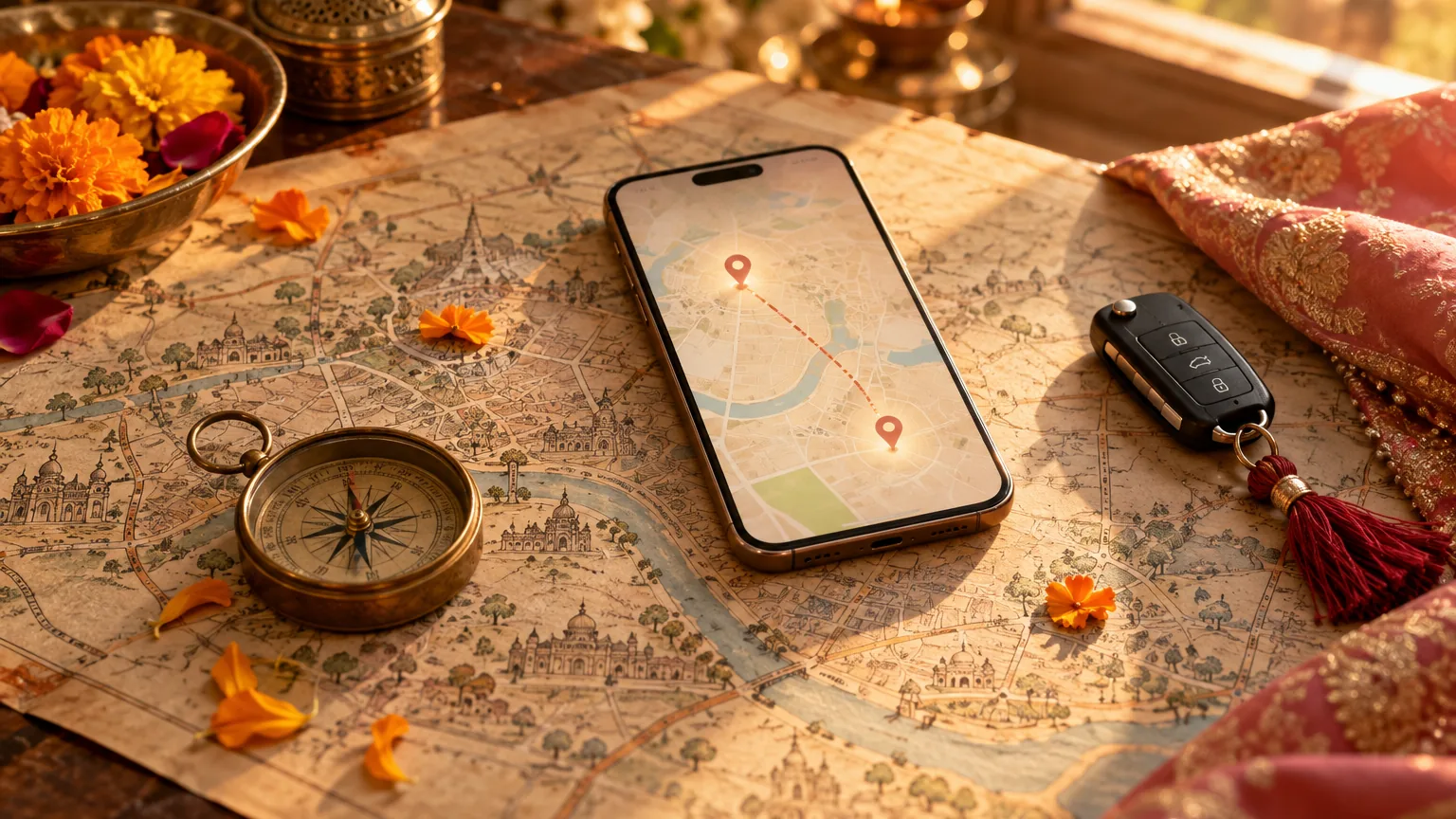
Give every venue its own map button, not every function: a guest taps it and Google Maps opens on their phone with directions. Copy the link from Google Maps' Share button after checking the pin sits on the gate guests should use, put the venue's name and full address above it for the elders, and send the pin again the day before. On a printed card, a QR code does the same job.
On this page
"Venue kahan hai?" is the call every wedding family gets on the morning of the haldi, usually from someone who is already lost. A map on the invitation stops most of those calls, if it points to the right gate and sits where guests look for it.
This page is what we have learnt putting maps on Indian wedding invitations: where the map goes, how to handle two venues, how to get a Google Maps link that does not drop guests at the back wall, and how it looks on an invitation we make, with real screenshots from our demo invitations.
How to put a map on a wedding invitation
On an invitation link, the map is a button under each venue. On a printed card, it is a QR code. Either way, the work is the same five steps:
- List the venues, not the functionsWrite down every place guests will go: the home, the temple, the lawn, the banquet hall. Five functions are often only two venues.
- Find each venue on Google MapsSearch the venue's name and check it is the right one. Many cities have three halls with the same name.
- Move the pin to the gateZoom in and check the pin sits on the entrance guests should use, not the middle of the property or the service road. If it does not, long-press on the gate to drop your own pin.
- Copy the share linkTap Share, then Copy link. You get a short maps link that opens in the Google Maps app if the guest has it, and in the phone's browser if not.
- Test it on someone else's phoneSend it to a cousin who has never been to the venue and ask them to tap it. If it starts directions to the right gate, it is ready.
One map for each venue, not for each function
When the mehndi, the sangeet and the reception are all at the same resort, three identical map buttons make the invitation longer and tell guests nothing new. Families tell us so on their calls: one asked us to take the map off every function and keep a single one. What works is one venue section with a photo of the place and one map button, and each function naming its hall or lawn inside that venue ("Darbar Hall", "Poolside lawn").
Give a function its own map only when it is somewhere else: a mehndi at home, a temple wedding, a reception in another city. That is where guests really get lost.
| Plan | Venues | Map buttons on the invitation |
|---|---|---|
| Everything at one resort or palace | 1 | One, in the venue section, with each function naming its hall or lawn |
| Functions at home, the wedding at a venue | 2 | One for the venue; the home pin only on the family's link |
| Temple or church wedding, reception at a hotel | 2 | One under each, with the time to leave the first for the second |
| Wedding in one city, reception in another | 2 | One under each, with the city written large so nobody goes to the wrong one |
A wedding invitation with two locations
Two venues is the most common case after one. A church ceremony and a beach-side reception, a gurdwara Anand Karaj and a lunch at a banquet, a temple pheras and a lawn reception. The rule is simple: each venue gets its own name, address and map, and each function says which of the two it is at, so nobody has to work it out.
If guests move from one to the other on the same day, add the time to leave and how far it is ("20 minutes by car"). Guests coming from outside the city will plan their cabs around that line.
Getting the Google Maps link right
Most wrong maps on invitations are right-looking links that point to the wrong spot. The checks that catch them:
- The gate, not the building. Large venues and farmhouses have several entrances. Pin the one with parking and a guard who knows about the wedding.
- The right hall. In a hotel or a temple complex, put the hall's name in words beside the map, because the pin can only show the complex.
- A home without a clear address. Drop a pin on the house itself and share that. Google Maps also shows a plus code for a dropped pin, which a driver can type in.
- Links you can trust. Use the link from Google Maps' own Share button. Guests have heard about fake wedding links, so avoid shortener sites (how guests can tell a safe link).
- The home pin, only where it is needed. Your house address is for the family and the people coming home. Leave it off the link that goes to colleagues and the wider circle, as our guide to a private wedding website explains.
How it works on an Invifest invitation
Our designers make each family its own invitation website, and the map is part of every one. You send us the venues; we do the rest:
- You send the venue names and linksIn the details you send us, give each function its date, time and venue, and a Google Maps link for each venue if you have one. If you do not, the venue's name and city are enough for us to find it, and you check the pin on the first version.
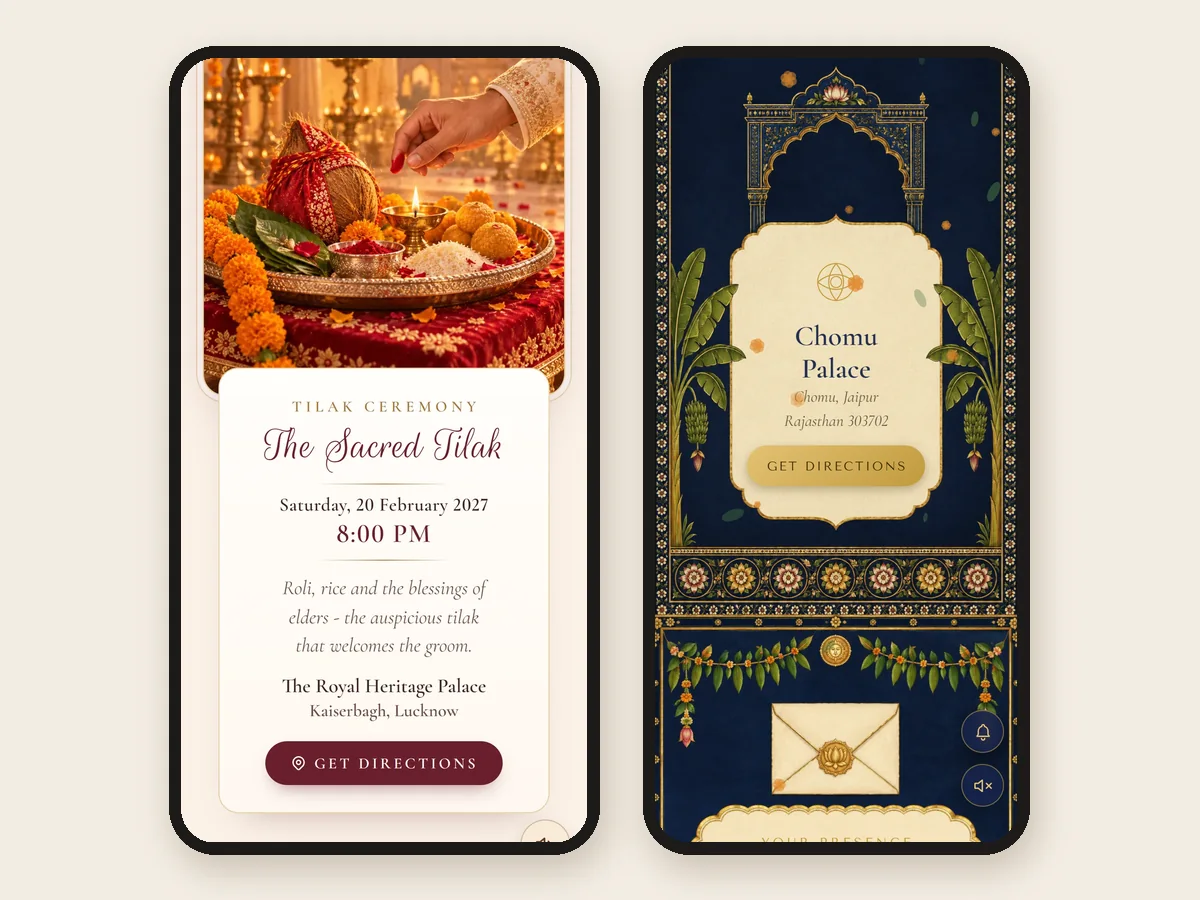
- Every function gets its cardEach function shows its date, time and venue, with a map button where it is at its own venue. On some designs the venue has a section of its own with a photo of the place.
- Guests tap Get DirectionsThe button opens Google Maps on the guest's phone, with directions from wherever they are. Nothing to install, nothing to copy.
- A changed venue is changed onceIf a venue or a pin changes after you have sent the invitation, send it to us with your changes and we change it on the same link, and every guest who opens it sees the new one. Our guide to a venue or time change has the message to send with it.
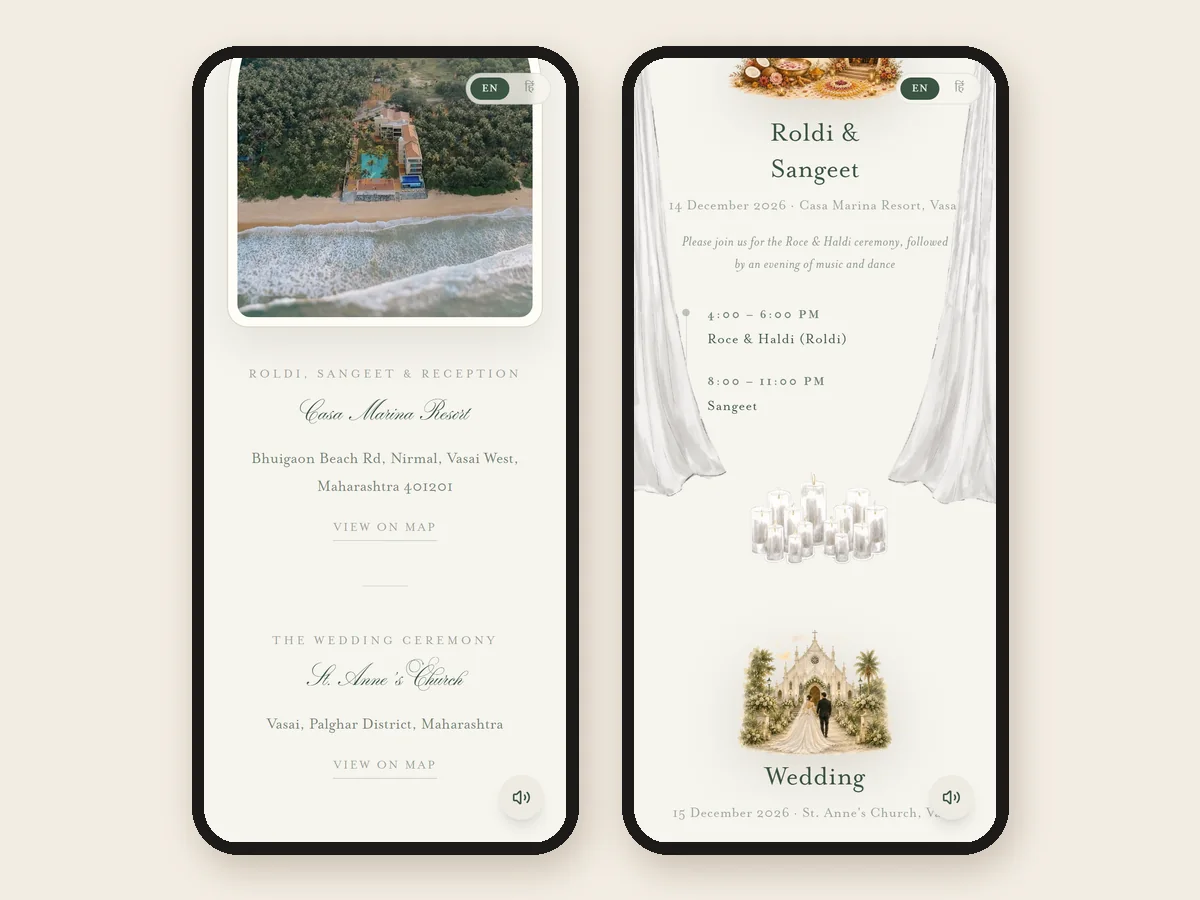
With two venues, each gets its own map, and the list of functions says which venue each one is at. On this demo the church and the resort each have a View on map link, and the programme below names the venue beside every function.
You can open any of our designs as a guest would on our samples page, and every design's page shows its own live demo. If guests also need the dress code beside each function, our dress code guide covers how families word it.
On a printed card: a QR code
A printed card cannot hold a tap, so families print a QR code beside the venue. Point it at the invitation link rather than straight at the map, so one code carries every function, every venue and any change you make later. A code that points to a map pin is stuck with that pin forever. Our guide to the QR code on a wedding card covers size, placement and testing.
Keep the address in words on the card as well. Not every guest will scan, and nobody can scan a card that is pinned to the fridge in another city.
Send the pin again the day before
Even with a map on the invitation, guests ask for the location on the day. A short message the evening before, with only the next day's timings and the venue pin, saves the most calls, and on the morning itself post the pin in the family group with one number to call. Our reminder messages have the wording.
For guests from abroad or from other cities, add the nearest airport or station and how long the drive is. Our guide to NRI guests has the rest of what they need.
Venue lines and location messages you can copy
Change the names, times and places, and paste the Google Maps link where it says [map link].
[Function name]
[Day, Date] · [Time] onwards
[Hall or lawn], [Venue name]
[Area, City]
[map link]
The Wedding Ceremony
[Time] · [Temple or church name], [Area, City]
[map link]
The Reception
[Time] onwards · [Venue name], [Area, City]
[map link]
The reception venue is about [20] minutes from the ceremony by car.
Namaste [Name] ji,
See you tomorrow at the [function name]!
[Time] onwards at [Venue name], [Area].
Location: [map link]
For directions, call [Name] on [number].
Kal ka [function name] [time] baje se hai, [Venue name] mein.
Location ka link ye raha: [map link]
Raasta na mile to [Name] ko call kar lena: [number].
स्थान: [स्थान का नाम], [क्षेत्र], [शहर]
नक्शा: [map link]
Want these words on a real invitation? See the designs.
Invitation designs
6 designs you can personalise. Open any one to see it full size, with a live demo.


Questions people ask
How do I add a Google Maps location to a wedding invitation?
Find the venue in Google Maps, check the pin is on the gate guests should use, tap Share and then Copy link, and put that link under the venue's name and address. On an invitation link it becomes a button that opens Google Maps on the guest's phone; on a printed card, print it as a QR code.
Can one wedding invitation have two locations?
Yes. Give each venue its own name, address and map button, and write beside each function which venue it is at. If guests move between them on the same day, add the time to leave and how far the second venue is.
Should every function have its own map?
Only when it is at its own venue. If three functions are at the same resort, one map in the venue section is enough, with each function naming its hall or lawn. Families find repeated map buttons make the invitation long for nothing.
Do guests need the Google Maps app to open the map?
No. A Google Maps share link opens in the app if the guest has it, and in the phone's browser if they do not.
Should I put my home address on the wedding invitation?
Only on the link or card that goes to people coming to the home functions. Leave it off the invitation that goes to colleagues and the wider circle, because links get forwarded.
Is a QR code better than a map link?
They do different jobs. A QR code belongs on a printed card; a tap belongs on a phone. Point the QR code at the invitation link rather than the map, so it also carries the timings and any change you make later.
What if the venue changes after the invitations are sent?
Change it on the invitation, then send one short message pointing to it. An invitation link updates in place, so everyone who opens it sees the new venue and the new map.