Wedding venue or time changed after the invitations went out: fix the invitation first, then send one message
Venue, time or date changed after sending the wedding invitation? How to update the same link, what to tell guests, and messages to copy in English and Hindi.
Change the invitation itself first, so the link everyone already has shows the new venue, time or date. Then send one short message that says what changed and points back to the same link, and call the elders who were invited by phone. Do not send a second link: the old one keeps getting forwarded. A picture card or a video cannot change after sending; an invitation link can.
On this page
The pandit sends the final muhurat a week after the cards went out. The lawn is double-booked. A surname turns out to be spelt the way the bride's family never spells it. On our calls this October, more than one family in four changed something after the invitation had gone out.
At least eight of them asked us the same question first: "same link pe hoga, ya naya link bhejna padega?" This page answers that, and then gives the order to do things in, the messages to send, and what a change looks like on an invitation we make.
What to do, in this order
- Change the invitationUpdate the venue, time or date on the invitation itself before you tell anyone. Guests who hear about the change will open the link to check, and it has to already say the new thing.
- Check it on a phoneOpen the link as a guest would. Check the function card, the countdown, the map button and any line elsewhere that repeats the old time or place.
- Send one messageOne short message to everyone who has the invitation: what changed, in one line, and the same link. Not the whole invitation again.
- Call the people who need a callElders who were invited by phone, anyone who has already booked travel, and the people who were told by word of mouth. A change to a date always needs a call to the close family.
- Repeat it the day beforeThe day-before reminder carries the new time and the new pin, so nobody acts on what they remember from the first invitation.
What families change after sending
From our own calls this season, in roughly this order of how often it happens:
- The timings of a ritual. The pheras, the varmala or the vidaai, once the pandit fixes the muhurat. This is the most common change of all, and the reason many families print only the start time and "onwards".
- A name added. A relative who was missed in the family list, more names on the Mayra or Bhaat list, a title like "Dr." or "Late Shri" added.
- A spelling. Often in the Hindi text, especially when it was first typed by a translation app. Read the Hindi version aloud to an elder before sending, and again after any change.
- A venue. A hall swapped for a lawn because of the guest count or the weather, or a home function moved to a venue.
- A date. Rare, and the one that needs the most care: change the invitation, call the close family, then send the message.
Same link, or a new one?
The same link, every time you can. An invitation link is a page, and a page can be changed: everyone who opens it after the change sees the new venue or time, including the guests who will only open it the week of the wedding. A second link means two invitations going round the family, and the old one gets forwarded for weeks.
A picture card, a PDF or a video works differently. Each is a file, and the copy already sent cannot change. The new version has to be made and sent again, and the old one stays in every chat it reached. That is the main reason families who expect changes send a link.
| Invitation link | Picture card or PDF | Video invitation | |
|---|---|---|---|
| Can the sent copy change? | Yes, the link shows the new version | No, it is a file | No, it is a file |
| What you send | One line pointing to the same link | A new file to everyone | A new video to everyone |
| Old version still around? | No, the link only shows the new one | Yes, in every chat | Yes, in every chat |
| Guests who open it later | See the new details | May see either version | May see either version |
Our guide to a video or a website weighs the two in full, and our link expiry guide answers how long a link stays live.
How a change works on an Invifest invitation
Our designers make each family its own invitation website, so a change is made by us, on the link you already shared:
- Collect the changes in one listTen relatives will each notice something different. Put every change in one message, or one round, rather than ten. Each round is all your changes sent together.
- Mark them on the invitationOn our newest invitations you open your review link, tap the spot on the invitation and say or type what to change. Otherwise, a screenshot with a circle and a line underneath works just as well on WhatsApp.
- We change it on the same linkThe link your guests already have updates by itself. Nobody needs to be sent anything new for the change to show.
- You send the one-line messageFrom the wording below, so guests know to look again.
Two rounds of changes are included, sent within 7 days of the first version, even after you have shared the link, and two more rounds can be added. A mistake of ours is fixed free whenever you find it. If you took the PDF of your invitation, it is made again once, free, when the invitation changes; a film of the invitation is made once from the final version, so leave it until your changes are done.
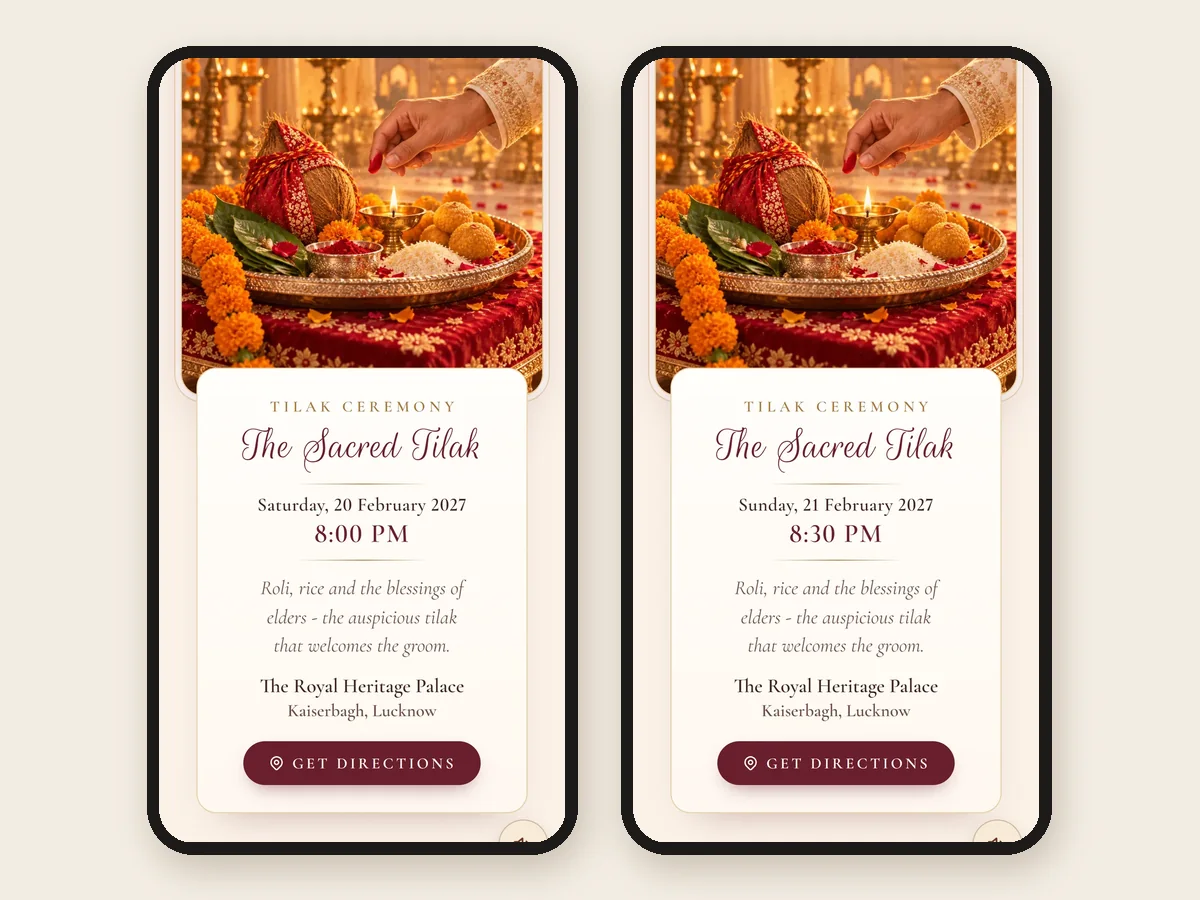
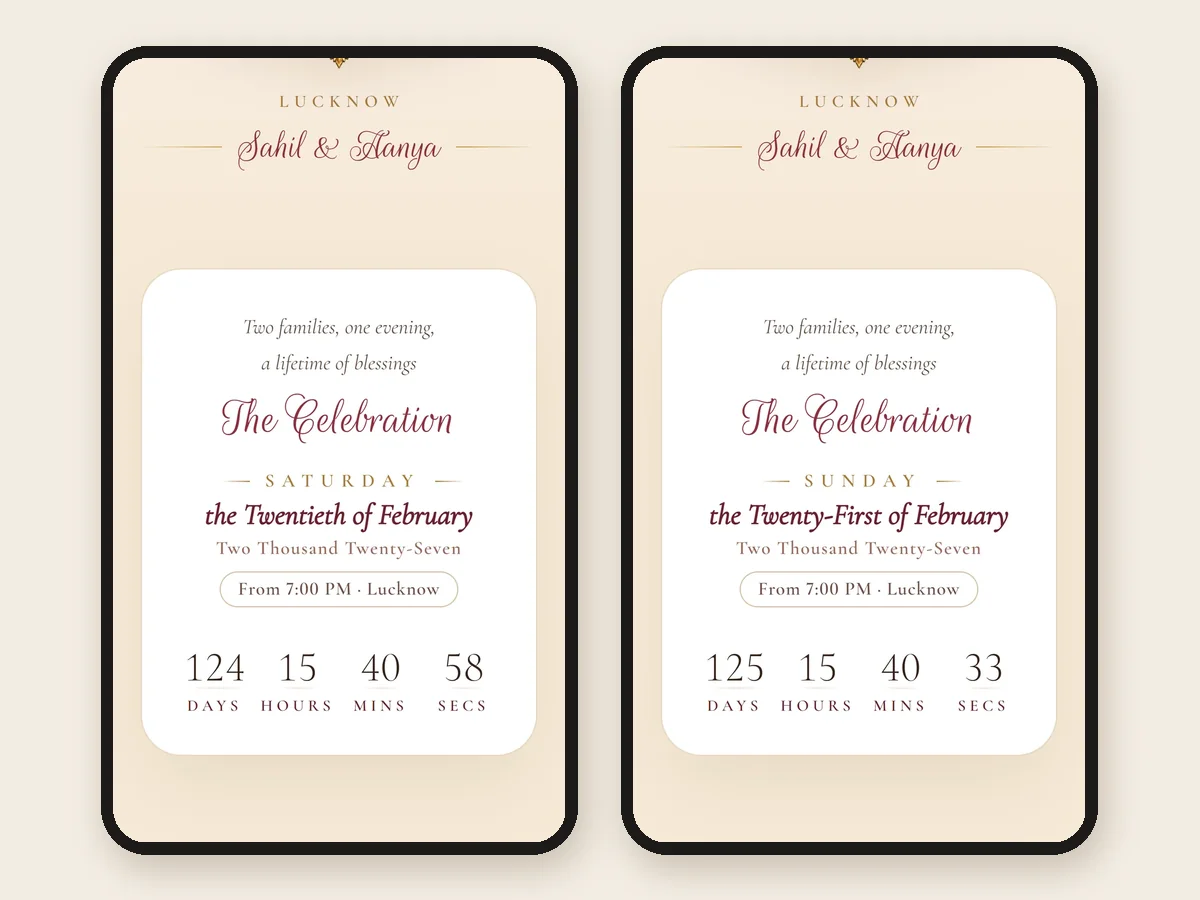
Everything else on the invitation follows the change, the countdown included, so a guest is never shown the old date anywhere.
The old picture in the WhatsApp preview
If the change is to the cover or the names, guests who received the link earlier may still see the old picture in the WhatsApp preview. WhatsApp remembers a link's preview in chats that already showed it. The invitation itself opens with the new version. For the next round of sending, check the preview again by sending the link to yourself, as our WhatsApp sending guide describes.
Saying it without causing a panic
A change message is read in a hurry, often forwarded, and sometimes only the first line is seen in a notification. Write it so that first line is enough:
- Lead with what changed, in one line: "The reception has moved to [venue]", not "Kindly note a small update".
- Name the function. "The haldi time" rather than "the time", because the other functions have not changed.
- Point to the same link, and say it is updated, so nobody goes looking for a new one.
- No apology essay. One "sorry for the change" is plenty. Guests are used to muhurat changes.
- For a date change, call first. The message then confirms what you already said on the phone.
Change messages you can copy
Change what is in [square brackets], and paste the invitation link where it says [link]. Send it in the chat where the invitation went.
Namaste [Name] ji,
A small change: the [function name] on [date] will now be at [new venue], [area].
The invitation is updated with the new venue and map, on the same link:
[link]
Namaste [Name] ji,
The [function name] on [date] will now begin at [new time] instead of [old time].
Everything else stays the same, and the invitation is updated:
[link]
Namaste [Name] ji,
As we spoke, the wedding of [Bride's name] and [Groom's name] will now be on [new date].
The invitation has every function with its new date and time, on the same link:
[link]
We are sorry for the trouble, and we hope to see you there.
[Name] ji, pranam.
[Function name] ka samay badal gaya hai: ab [date] ko [new time] baje se hai, [venue] mein.
Card isi link par update ho gaya hai:
[link]
आदरणीय [नाम] जी,
[कार्यक्रम का नाम] के स्थान में परिवर्तन हुआ है। अब यह [तिथि] को [नया स्थान], [क्षेत्र] में होगा।
निमंत्रण इसी लिंक पर नए स्थान और नक्शे के साथ अपडेट है:
[link]
Namaste [Name] ji,
We have corrected a detail on the invitation for [Bride's name] and [Groom's name]'s wedding. The link is the same:
[link]
Thank you, and see you on [date].
Want these words on a real invitation? See the designs.
Invitation designs
6 designs you can personalise. Open any one to see it full size, with a live demo.


Questions people ask
Can I edit a digital wedding invitation after sending it?
If it is a link, yes: the link shows whatever the invitation says now, so the change reaches everyone who opens it. A picture card, a PDF or a video is a file, and the copy already sent cannot change; you have to make and send a new one.
Will guests see the change on the same link?
Yes. Everyone who opens the link after the change sees the new venue, time or date. Send one short message anyway, so guests who already read it know to look again.
How do I tell guests the venue has changed?
Change the invitation first, then send one line that names the function and the new venue, with the same link and its map. Call the elders who were invited by phone, and repeat the new venue in the day-before reminder.
Should I send a new link after a change?
No. A second link means two invitations going round, and the old one keeps being forwarded. Update the one link everyone already has.
How do I announce a change of wedding date?
Call the close family first, update the invitation, then send a message that gives the new date in the first line and points to the same link. A date change is the one change that should never arrive as a message alone.
Why does WhatsApp still show the old picture?
WhatsApp remembers a link's preview in chats that already showed it. The invitation opens with the new version; only the small preview in old chats may stay the same.
How many changes are included with an Invifest invitation?
Two rounds of changes, sent within 7 days of the first version, even after you have shared the link, and two more rounds can be added. Each round is all your changes together. A mistake of ours is fixed free whenever you find it.